
This is an old revision of the document!
Table of Contents
Updated CA certificate for the IBG web server
The certificate authority(CA) which issued IBG's website certificate has had their own certificate expire. They have issued a new certificate, but the new certificate is not yet incorporated into many web browsers. Web browsers that do not have the new certificate will show a security warning. To avoid this warning the new CA certificate must be installed in your browser.
Certificate Installation Instructions
Firefox
To install the new certificate, go to the CA's website at http://certs.ipsca.com/Support/hierarchy-ipsca.asp and then click the ipsCA Global CA Root link at the bottom of the page:

Or, click here to install the certificate directly from their page.
That will bring up a dialog box. Check the box for Trust this CA to identify web sites and then click OK.

Thunderbird
Installation of the updated certificate in Thunderbird requires downloading the certificate, and then importing it.
- Right click on this link and select "Save link as" or do whatever is necessary to save a link as a file using your browser.
- Save the
ipsCAGlobal.crtfile to a convenient location. - Open Thunderbird and go to the
ToolsorEditmenu and selectPreferences(different versions of Thunderbird putPreferencesin different locations). - In the Thunderbird Preferences window click on the
Advancedbutton. - Click on the
Certificatestab. - Click on the
View Certificatesbutton. - In the Certificate Manager window, click on the
Authoritiestab. - Click on the
Importbutton. - Open the
ipsCAGlobal.crtfile which you previously saved. - In the Downloading Certificate window, check the box next to
Trust this CA to identify web sites. - Click
OKon the Downloading Certificate window. - Click
OKon the Certificate Manager window. - Click
Closeon the Thunderbird Preferences window.
Microsoft Products (Internet Explorer, Outlook, etc.)
Microsoft has included the updated ipsCA certificate in their root certificate update pack. The updated pack can be installed through the normal Microsoft Update procedures, or downloaded directly from Microsoft.
Windows XP
- Run Microsoft Update (or Windows Update) from the Start menu.
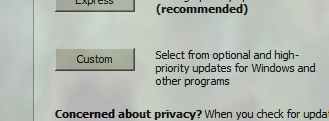
- Once it starts click on the “Custom” button.
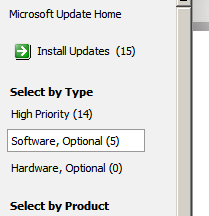
- Then click “Software, Optional” from the left panel.
- Then check the box next to “Update for Root Certificates”
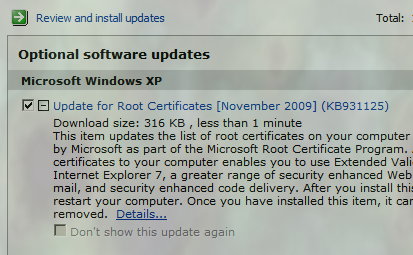
- Then click the “Review and install updates” link to begin downloading and installing the updates. Other updates may be included.


Windows 7 and Windows Vista
Windows 7 and Windows Vista normally will automatically download updated certificates with no necessary user interaction.